
To program a Merlin MR855MYQ remote, hold the chosen remote button, briefly press and release the motor’s S (Save) button, then release the remote button when the courtesy light flashes twice. The two flashes confirm that the Merlin SilentDrive Elite has learned the remote code.
The MR855MYQ supports several Merlin Security+ 2.0 remotes, including the E960M, E970M, E975M, E985M and E964M. You can add a compatible remote without erasing existing ones, but replacing a lost or stolen remote may require deleting stored codes.
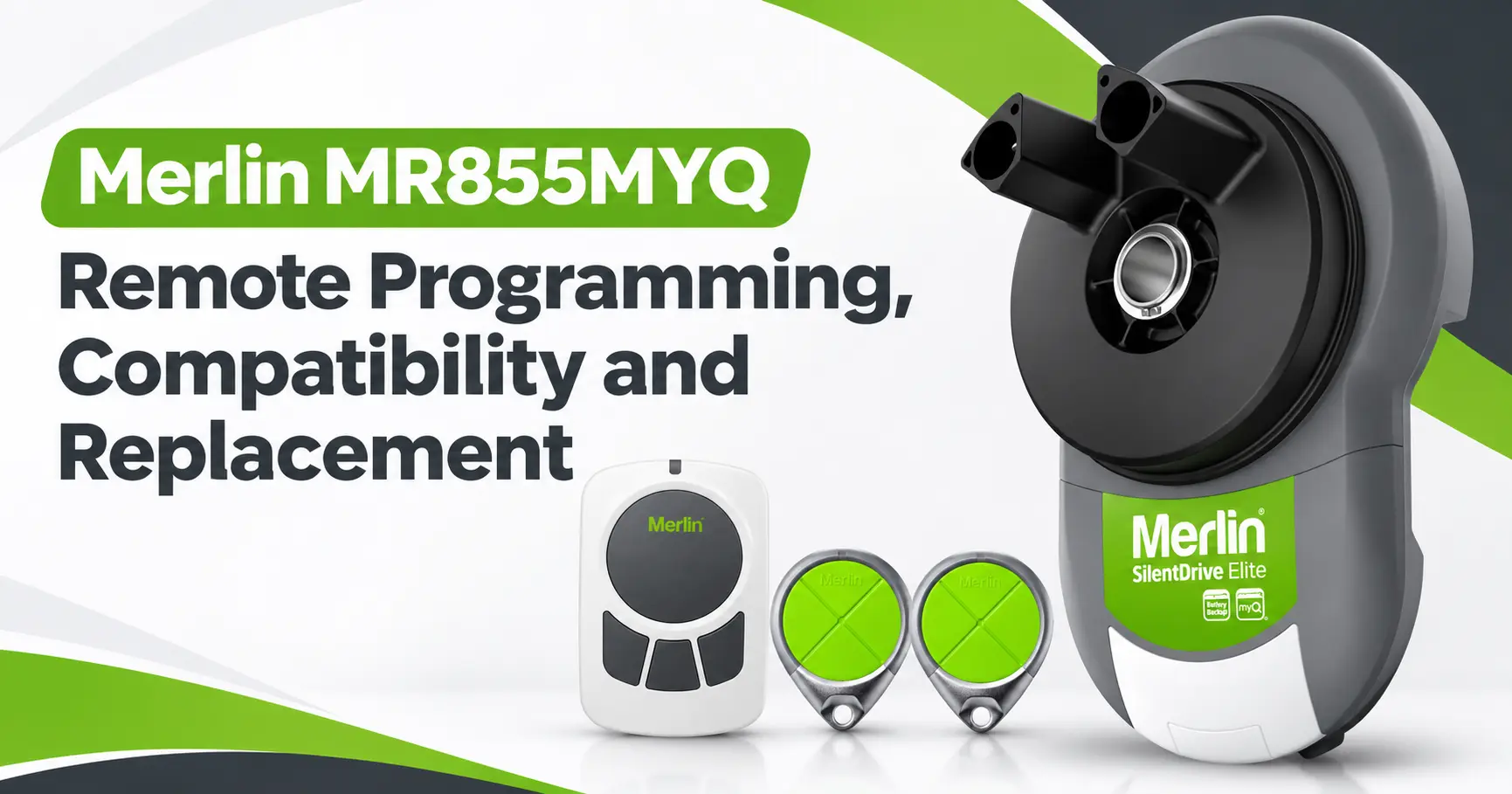
This Merlin MR855MYQ Remote guide explains how to identify the correct programming button, pair a remote, choose a compatible replacement and resolve common pairing problems.
1. Where Is the Learn Button on the Merlin MR855MYQ?
The Merlin MR855MYQ learn button is the S (Save) button, located beneath the small control-panel cover at the lower front of the SilentDrive Elite motor.
Before programming, confirm that your opener’s model number is MR855MYQ, as other Merlin models may have different programming controls.
Open the control-panel cover and locate the four buttons arranged from left to right:
DN → UP → P → S
The S button is the rightmost button and is used to register or delete remote-control codes.
The other buttons have different functions:
- DN and UP: Used for door movement during applicable adjustments.
- P: Used for programming door travel limits and other settings.
- S: Used for storing and deleting remote-control codes.
You do not need to remove the motor housing or access electrical wiring to program a remote.
2. How Do You Program a Merlin MR855MYQ Remote?
To program an MR855MYQ remote, hold the selected remote button, briefly press and release S on the opener, and wait for two courtesy-light flashes before releasing the remote button.
Before starting, make sure the garage door is visible, clear of obstructions and safe to operate.
Step 1: Press and Hold the Remote Button
Press and hold the button you want to use on your compatible Merlin remote.
Keep holding this button while completing the next step.
Step 2: Press and Release the Motor’s S Button
While holding the remote button, briefly press and release the S button on the MR855MYQ motor.
Do not hold S down. A long press deletes stored remote-control codes.
Step 3: Wait for Two Courtesy-Light Flashes
Continue holding the remote button until the opener’s courtesy light flashes twice.
Release the remote button after the two flashes.
The motor has now learned the transmitter code.
How Do You Confirm the MR855MYQ Remote Is Programmed?
A successfully programmed remote should operate the garage door when you press its assigned button.
Keep the garage door in full view and test the remote.
If the courtesy light did not flash twice during programming, the opener has not confirmed the code. Repeat the procedure, holding the remote button until the light confirmation occurs.
The confirmation must come from the opener’s courtesy light, not simply the indicator on the remote.
3. Which Merlin Remotes Are Compatible With the MR855MYQ?
The Merlin MR855MYQ supports genuine Merlin Security+ 2.0 remotes, including the E960M, E970M, E980M, E964M, E975M and E985M. The E960M and E970M appear in different MR855MYQ manual editions, while Merlin also identifies newer replacement options.
| Remote model | Type | Suitable use |
|---|---|---|
| E960M | Four-button handheld remote | Original-style remote documented in an MR855MYQ manual |
| E970M | Four-button remote | Later-generation option documented in an MR855MYQ manual |
| E980M | Four-button remote | Additional compatible option |
| E975M | Four-button keyring remote | Compact everyday replacement |
| E985M | Four-button water-resistant remote | Keyring use where moisture protection is useful |
| E964M | Four-button car visor remote | Convenient in-vehicle operation |
Older models may not be readily available from every supplier.
Can You Replace an E960M With an E975M?
Yes. The Merlin E975M is a compatible replacement remote for the MR855MYQ and can be programmed directly to the existing opener.
The replacement does not need to look identical to the original. It must use a supported communication and coding system.
The E985M and E964M are also manufacturer-listed alternatives.
Will a Universal Remote Work With the MR855MYQ?
Use a universal remote only if its manufacturer explicitly confirms compatibility with the Merlin MR855MYQ. Matching the operating frequency alone does not guarantee that the opener will recognise its code.
Merlin’s documentation approves Chamberlain Group accessories, including genuine Merlin remotes, but does not approve generic compatible accessories.
4. How Do You Replace a Damaged or Lost MR855MYQ Remote?
To replace a damaged MR855MYQ remote, program a compatible new handset to the opener. If the original remote is lost or stolen, erase the stored transmitter codes before registering the remotes you intend to keep using.
The process depends on whether the original handset is damaged, missing or simply being supplemented with another remote.
Replacing a Damaged Remote
If your existing remote is damaged but still in your possession, check its battery before buying another handset.
If it remains faulty, purchase a compatible replacement and program it using the S-button procedure.
You generally do not need to erase other working remotes when replacing a damaged handset that remains securely in your possession.
Adding an Additional Remote
To add another remote for a household member, register the new compatible handset using the normal programming procedure.
Existing remote codes do not need to be deleted. Test both handsets afterwards to confirm that they operate the door.
Replacing a Lost or Stolen Remote
A replacement remote does not automatically disable a lost or stolen MR855MYQ remote. The missing handset may still operate the opener until its stored authorisation is removed.
The MR855MYQ provides a procedure for deleting all stored transmitter codes.
How Do You Erase All MR855MYQ Remote Codes?
To erase all stored MR855MYQ remote codes, hold the S button until the courtesy light flashes twice. Continue holding until it flashes twice again about eight seconds later, then release S.
Follow the manufacturer’s sequence:
- Locate the S button on the motor.
- Press and hold S until the courtesy light flashes twice.
- Continue holding S for approximately eight seconds until the courtesy light flashes twice again.
- Release S after the second pair of flashes.
- Reprogram the remotes and applicable wireless controls you still want to use.
This procedure deletes all stored transmitter codes, not just the missing remote’s code.
Gather your retained remotes before beginning, as they must be registered again.
Do not erase the codes simply to troubleshoot a remote that works intermittently.
5. Why Won’t a Merlin MR855MYQ Remote Program?
An MR855MYQ remote may fail to program because the transmitter is incompatible, its battery is weak, the programming sequence was interrupted or the opener is not receiving the signal.
First, check whether the opener produces the required two courtesy-light flashes.
| Problem | What to check |
|---|---|
| No two-flash confirmation | Repeat the pairing procedure, keeping the remote button held until confirmation |
| New remote will not pair | Confirm its model is compatible with the MR855MYQ |
| Remote does not respond | Check the battery and handset condition |
| Original remote works but the replacement does not | Check the replacement’s compatibility and programming |
| All remotes stop responding | Test an available wall or onboard control to help isolate an opener or receiver fault |
| Remote has very short operating range | Check battery condition, interference and antenna positioning |
If an existing remote operates the door normally but a new remote will not pair, the replacement handset is the logical starting point for further checks.
If several previously working remotes fail together, the problem may involve the motor’s receiver, antenna or control electronics.
For a more comprehensive diagnosis, read our Merlin garage door remote not working guide.
When Should You Get Professional Help With an MR855MYQ Remote?
Arrange a professional inspection if confirmed compatible MR855MYQ remotes repeatedly fail to program, multiple remotes stop responding or the opener does not operate normally despite receiving remote commands.
These symptoms may indicate a receiver, control-board or garage door mechanism problem rather than a faulty handheld transmitter.
If the garage door is jammed, unusually heavy, moving unevenly or making abnormal noises, stop operating it. Remote programming will not resolve a mechanical fault.
Jim’s Garage Doors provides garage door opener repairs and replacement services. A technician can assess the existing equipment and determine whether the remote, opener or another component needs attention.
Call Jim’s Garage Doors on 131 546 for assistance with Merlin opener and remote-control problems.